
Build
StarterLaravel application
FeatureSubscription billing
Code, configuration and instructions, kept together. Start with a Kit, adapt its contents, and combine it with the other pieces your project needs.
A starter sets up the app. A feature adds a capability. Deployment files describe its destination. Launch material prepares its release.
Illustrative workflow. Cross-product Kit composition and deployment are in development. Starter, feature, run, deploy, startup and launch describe jobs within one Kit concept.
Class is the broad purpose. Type is the kind of Kit. Specialization is the specific job. The chart below shows examples, not an available package catalog.
The existing generator copies a Notes module, page and provider into your app. Choose browser storage or the PHP/database edition.
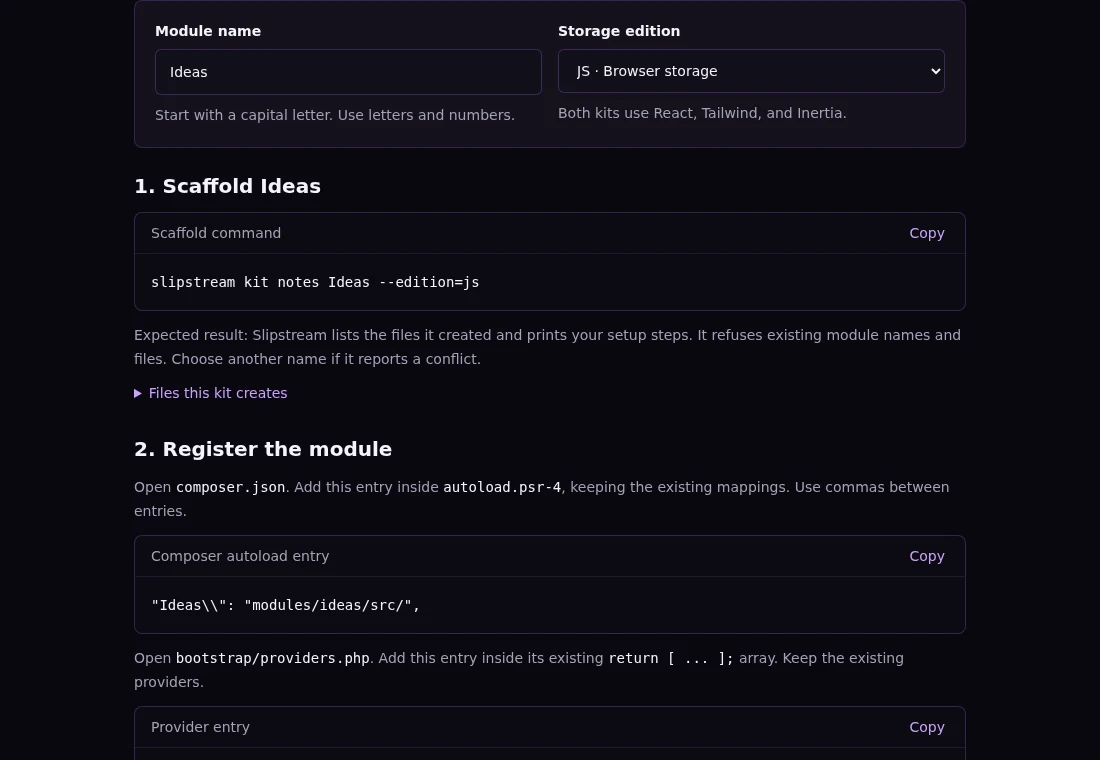
slipstream kit notes Ideas --edition=jsNotes is the currently supported generator. The other examples above do not add new generators.
Explore ZEFRAM →Positronic can package selected conversation messages and optional notes for a handoff, preserving the original archive. These are references, not executable deployment instructions. Availability depends on the product release.
Explore Positronic →The intended progression is Nucleus → NEBULA → Positronic: runtime, orchestration, hosted platform. Docker → Kubernetes → hosted Kubernetes is a category comparison.
Identity, approved workloads and your private fabric.
Explore Nucleus →Machine and network tools are in preview. Kubernetes provisioning and application deployment are in development.
Explore NEBULA →Current plans cover managed machines. Hosted Kubernetes is planned and is not included in those plans.
Explore Positronic →